
The first step towards fixing a problem like this on Mac computers – and on iPhones, iPads and iPod touch devices too – is a software update. If you aren't aware of any hardware obstacle that could be affecting the sound from the speaker, it's probably a software matter. If Apple knows about it, it can put it right in an update. Updating the system and apps in the Mac App Store.
In macOS High Sierra and earlier, just open the Mac App Store, choose Updates and install the relevant one. In macOS Mojave and later, choose System Preferences from the Apple menu at the top left and select Software Update. You can update an iPhone, iPad or iPod touch in Settings -> General -> Software Update. The procedure for updating an iOS device.
Before updating your device, don't forget to back up its data!
When it comes to MacBooks, we'll advise / help you – just contact appleguru.cz
Mac computers and checking the sound settings
If no sound comes from the speakers of your macOS computer even after you've updated it, try checking the sound settings. First of all, you need to disconnect all external audio devices and any other cables from the computer – not only from USB but also from the 3.5 mm headphone jack. You'll find System Preferences in the top left corner of the menu bar under the Apple logo, but it's also in Launchpad, or you may have it in the Dock.
From the Apple menu at the top left, choose System Preferences and then select Sound. In the Output pane, choose Internal Speakers (if the Output pane lists Digital Output instead of the internal speakers, check your Mac's audio output port). If the volume slider is pulled over to the left, move it to the right. If the Mute box is ticked, untick it. Then try playing any sound. If you still can't hear any sound this time, you need to visit a MacBook repair shop. In System Preferences you can define how sound behaves across all the options.
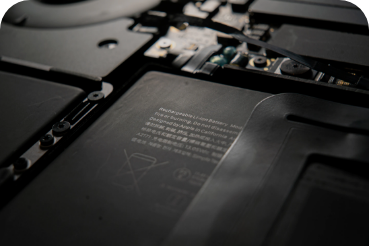
A MacBook repair shop will run complete diagnostics on the computer and pinpoint its fault. It may be enough just to take it apart and clean it inside, because nothing more than assorted dirt may have got into its innards. Equally, though, it may be a faulty component that will need replacing. What a MacBook repair will cost you depends on the extent of the work, and also on which model you own. However, you should know the final price as soon as the diagnostics are done. Viewing the sound settings.
iPad and iPod touch: troubleshooting speaker problems
If you think your speaker isn't working, first try checking the following. In Settings, go to Sounds or Sounds & Haptics and drag the Ringer and Alerts slider right and left a few times. Dragging left turns the volume down; dragging right turns it up.
If you can't hear anything, the speaker is most likely damaged. You can also find out by connecting headphones to your device. If you get sound through them but not from the device's speaker, it's a hardware matter rather than a system one.
In that case, visit an iPhone repair shop. The cost of an iPhone speaker repair depends on the model: for the iPhone 5s, for example, it comes to 940 Kč, for the iPhone 6 to 990 Kč and for the iPhone 7 Plus, say, to 1,190 Kč. But if you do get sound when following the procedure above, carry out the steps below, checking after each one whether the sound is now working as it should.
The individual steps for checking the sound settings and that the sound works:
- Move the Ring/Silent switch towards the display so that the orange marking isn't visible.
- Go to Settings -> Do Not Disturb and check that you don't have this mode turned on.
- Open an app that plays music or sounds and adjust the volume with the buttons or the slider in Control Centre.
- To make sure your device isn't sending sound to a Bluetooth accessory, turn Bluetooth off in Settings -> Bluetooth.
- Close all apps from the App Switcher and restart your device.