
How to fix the most common Apple problems.
The really common ones you can fix yourself. We show you how. If the trouble persists, visit us in person at Seifertova 83 – diagnostics are free*.
Latest
 Tips and tricksApple KeynoteApple has unveiled new iPhones, iPads and Macs. Is an upgrade worth it, or is a repair enough? At AppleGuru we explain when it makes sense to buy a new device and when a repair is the better choice.Read the article →
 iOS 26iOS 26 brings a new design, smart AI features, better performance and improved security. See what it offers iPhone users and whether it's worth updating.Read →
 The most common Apple Watch problems and how to fix themIs your Apple Watch not working properly? Most watch problems come down to settings, and you can fix them yourself. Read our simple step-by-step guides.Read →
iPhone – hardware faults 16
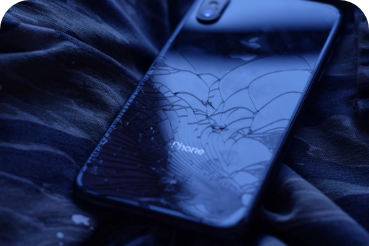 Damaged back cover or glassReplacing your iPhone's back glass is advisable for the sake of both looks and safe use. Why shouldn't you put the replacement off, and how much does it cost?Read →
 Broken displayBroken iPhone display? Replacing the glass is not something to put off. Even merely cracked glass can lead to further damage to the device and a noticeably more expensive repair.Read →iPhone repair and DIY battery replacement?Replacing your iPhone's battery significantly extends its lifespan. Is it worth saving money by replacing the battery yourself at home as a "DIY" job? We've compared the price and the risks for you.Read →
 Microphone not workingA non-working microphone is a fairly common fault, especially on the iPhone 7 and iPhone 7 Plus. How can it be fixed? Read on.Read →
 Camera not working3 simple steps you can do yourself that solve 80% of problems with an iPhone camera that isn't working.Read →
 Phone says "Liquid Detected"How water-resistant or waterproof is the iPhone? Why have you got a "Liquid Detected" alert? And what should you do when that happens?Read →
 Wet iPhoneiPhone soaked, rained on or splashed with water? ☂️ It can be saved even without a repair shop - here's how ✅Read →
 How to look after your Apple phoneSave money by looking after your iPhone properly. Extend your Apple phone's life and keep it in top shape for a long time. Read on to find out how.Read →
 Forgotten passcode – how to unlockHow to unlock an iPhone when you've forgotten the passcode. Step by step, using a computer.Read →
 Vibration not working3 reliable tips that solve 90% of problems with iPhone vibration not working. Sound settings, activation, restart.Read →
 No sound on iPhoneIs your iPhone's speaker not working? It doesn't ring, and you can hear callers and music poorly or not at all? Here are tips that solve 90% of iPhone sound problems.Read →
 iPhone battery lifespan - how to extend itSave money by looking after your iPhone's battery properly. Give your pride and joy a longer life and keep it in top shape for a long time. Find out how.Read →
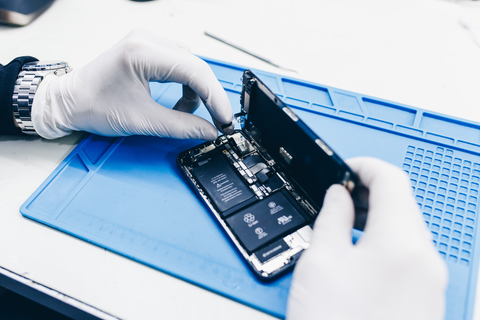 Device cleaning – iPhoneExtend the life of your iPhone with regular cleaning. Start looking after your iPhone properly and save money. Read how to go about it.Read →
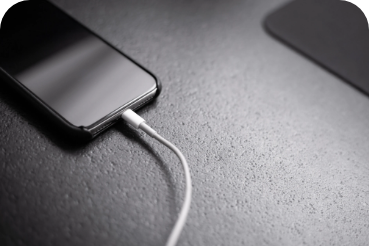 Faulty connector – phone won't chargeIs your iPhone not charging even though it's plugged into the socket? You can easily fix the most common problems with a faulty charging connector yourself. We'll show you how.Read →
 iPhone battery capacity – battery lifeHow long does an iPhone battery last? The battery capacity of the iPhone 7, X, SE, 11, 12 and other models in a clear comparison. We'll advise you when it's time to replace the battery in your iPhone. How long your phone should last and when to replace the battery in an iPhone.Read →
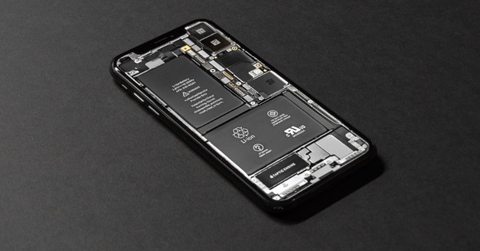 iPhone won't charge to 100%Does your iPhone stop at 80–90% and refuse to charge any further? Find out the most common causes and when a repair is needed. Free diagnostics at AppleGuru – just drop in or call.Read →
iPhone – software and tips 11
 Can't download or update appsCan't download or update apps from the App Store? Read on to find out what to do about it, step by step.Read →
 How to back up and protect your dataDon't want to lose your data? Back it up! Find out how to back up your iPhone, iPad and iPod touch. It's so easy, and your data will be safe for good.Read →
 Transferring data from Android to iPhoneMoving your data from Android to iPhone? It can be done. Read our step-by-step guide. Do it manually or the easy way with an app from Google Play.Read →
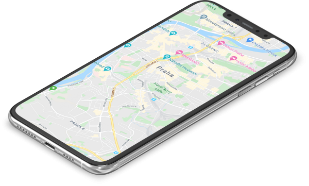 Theft protectionLosing an iPhone, iPad or iPod touch, or having one stolen, is nothing unusual. How to protect your device, how to find a lost iPhone and how to lock it if need be.Read →
 iPhone frozen - how to reset itResetting your iPhone helps when the phone has got stuck, the screen has frozen and it isn't responding. We'll show you how to restart your iPhone easily, model by model.Read →
 How to update your iPhoneA guide to easily updating your iPhone, iPad or iPod to the latest version of iOS. Keep your Apple device up to date and get the most out of it.Read →
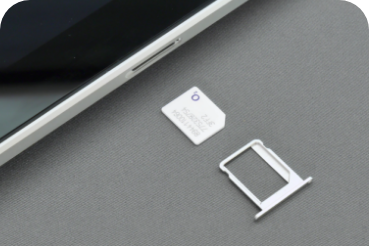 How to use two SIM cardsWould it be handy to have two SIM cards in your iPhone? Do you have a personal number and a work number but want just one phone? Read how it works and how to set it up.Read →
 How to transfer photos from an iPhoneHow do you download photos from an iPhone or iPad to a computer? Easily, using iCloud or a cable – to a Mac or a Windows device. We'll show you how.Read →The most common iPhone 12 and iPhone 12 Pro problems and how to fix themIs your iPhone 12 having trouble with Bluetooth, Wi-Fi, 5G or SMS? Does the battery not last? These problems usually have a simple fix. We'll show you what to do.Read →
 Face ID repairYou can usually fix Face ID on your iPhone yourself. Read on to find out how. If the basic tips don't work, we'll repair Face ID for you at a fair price.Read →
 Wi-Fi not working on your iPhoneCan't your iPhone connect to a Wi-Fi network? Can't it find any networks, or does the connection keep dropping? Try our tried-and-tested tips for fixing it.Read →
iPad 2
 Battery draining too fast - care tipsDo you know what state your iPad's battery is in? We describe how to check its current status and overall health, and add tips on extending its lifespan.Read →
 iPad not responding to touchDoes your iPad respond to touch only in some parts of the display? Take a look at the most common causes and the repair options. AppleGuru Prague – diagnostics, repairs, service.Read →
MacBook – software 9
 Updating to macOS CatalinaHow do you update to macOS Catalina? And how do you solve any problems that crop up? Apple repair specialists are here to advise you.Read →
 How to back up and protect your dataDon't gamble with your data: back up your MacBook, iPhone and other Apple devices. You'll save yourself time and trouble. Read our Apple experts' guide to simple Mac backups.Read →
 How to free up storageHow do you free up storage on your Mac? Find out how to check your free disk space, how to easily remove unnecessary data and how to optimise your Mac's disk usage.Read →
 Transferring data to a new MacMoving data from an old Mac to a new MacBook? We'll show you how: transferring your data step by step, and getting your Mac ready in case you ever need to restore data from a backup.Read →
 Using Touch IDWhy use Touch ID on a Mac? For easy unlocking of your MacBook, for purchases, for people with disabilities. Read how to set up Touch ID and make working on your Mac easier.Read →
 Mac won't boot or start upHas your Mac suddenly stopped turning on? What now? A simple guide from Apple specialists to getting your MacBook working again without a trip to the repair shop.Read →
 The most common MacBook problems and how to fix themIs your MacBook having trouble with Bluetooth, Wi-Fi, 5G or SMS? Does the battery not last? These problems usually have a simple fix. We'll show you what to do.Read →
 How to reset NVRAM and SMC on a MacResetting NVRAM and SMC on a MacBook solves many problems – most often trouble with charging, starting up properly or a slow system. Read how to do it.Read →
 Tips for speeding up your Apple computerSure-fire tips for speeding up your Apple computer. Is your Mac slowing down or no longer keeping up? We'll tell you how to clean it up, what to try and how to increase its capacity.Read →
MacBook – hardware faults 8
 Keyboard or display not workingMacBook keyboard repair covers replacing individual keys as well as the whole keyboard. MacBook models from 2015-19 are covered by a free replacement programme.Read →
 Speaker not workingIs the speaker on your MacBook not working? Read what you can do before you visit a MacBook repair shop.Read →
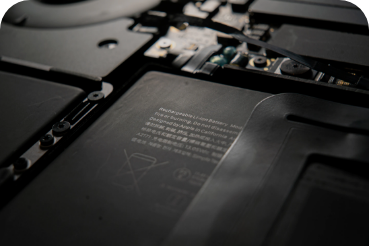 Battery draining too fast - care and replacementHow to check the condition of your MacBook battery. How to look after it so that it lasts longer. When it's time to replace your MacBook battery.Read →
 How to clean the keyboardCleaning a MacBook keyboard isn't complicated and you can do it yourself. Just buy a spray for 100 Kč and follow our guide.Read →
 How to use the trackpad10 essential MacBook trackpad features – learn to use it properly for maximum comfort when working on your MacBook or Mac computer.Read →
 How do you get your MacBook ready for repair?How do you choose a MacBook repair shop and prepare for your visit? How to back up your data and which documents to bring. Choose the experts and come prepared.Read →
 Liquid spilt on a MacBook – first stepsIf water gets into your MacBook, it can cause serious damage. The extent of the damage depends mainly on how quickly you act. Read on for the first-aid steps.Read →
 MacBook won't chargeIs your MacBook not charging, not responding when you plug in MagSafe or the charger, or does charging keep cutting out? Read how to deal with it.Read →
Tips and tricks 13
 How to find a good iPhone repair shopWhat to watch out for when choosing a repair shop for your iPhone. Read on to find out how not to get burned.Read →
 Choosing an Apple repair shopAn authorised or an unauthorised repair shop for your iPhone or Mac? When a quality unauthorised repair shop is enough and saves you money, and when to go for an authorised one. Read the pros and cons.Read →
 How to choose a MacBook repair shopHow to choose a good MacBook repair shop and where it pays (not) to economise. 7 things to watch out for when choosing a MacBook repair shop.Read →
 Fixing display problems on your iPhoneDisplay problems on your iPhone? Here's what to do when your iPhone's display responds badly, the icons are too large, or the colours are too dark or too bright.Read →
 Why use Dark Mode, and tips for setting it upTurn on Dark Mode on your iPhone and Mac and go easier on both your eyes and your battery. We'll walk you through the settings step by step.Read →
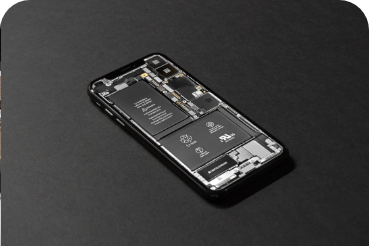 Will a new battery extend your iPhone 6's life?An iPhone 6 battery replacement instead of buying a new phone. If you're still happy with your iPhone 6, invest in just a new battery. It improves both battery life and performance.Read →
 Where to find the best information about AppleWhere can you find up-to-date, reliable information about the iPhone and everything else from Apple? Take a look at our guide to forums and blogs.Read →
 How to protect your iPhone's displayThinking of buying a case or a protective film for your phone? To protect your iPhone's display, we recommend you consider them. For looks, safety and savings. Read why.Read →
 How to choose reliable accessories for Apple devicesWhether you just want a new charging cable or any other accessory, you don't have to go for official Apple products. Choose wisely – we have some tipsRead →
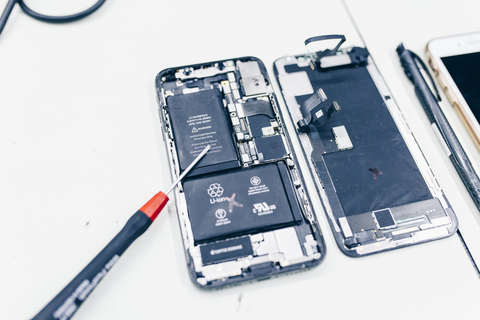 Apple device diagnosticsExpress iPhone repairs near the centre, in Prague 3. Free device diagnostics before repair. Repairs with a 2-year warranty. The top-rated repair shop.Read →The most common Apple Watch problems and how to fix themIs your Apple Watch not working properly? Most watch problems come down to settings, and you can fix them yourself. Read our simple step-by-step guides.Read →iOS 26iOS 26 brings a new design, smart AI features, better performance and improved security. See what it offers iPhone users and whether it's worth updating.Read →
 Apple KeynoteApple has unveiled new iPhones, iPads and Macs. Is an upgrade worth it, or is a repair enough? At AppleGuru we explain when it makes sense to buy a new device and when a repair is the better choice.Read →
Nothing found. Try another word, or simply write to us.
Book a repair
Choose your device and repair, or just give us a call.