Apple phones are premium devices that say something about their owners. They reflect good taste and high standards when it comes to quality and speed. That's why it's important for the device to stay in excellent condition for as long as you use it and to do its job without any trouble. That takes the care your phone deserves. Do you know how to look after your iPhone?
Quick navigation:
1/ Battery care for better performance and a longer lifespan
2/ Cleaning for hygiene and proper function
3/ Protecting the display from damage
4/ Updates for features and speed
1/ Look after the battery - you'll maintain performance and extend its lifespan
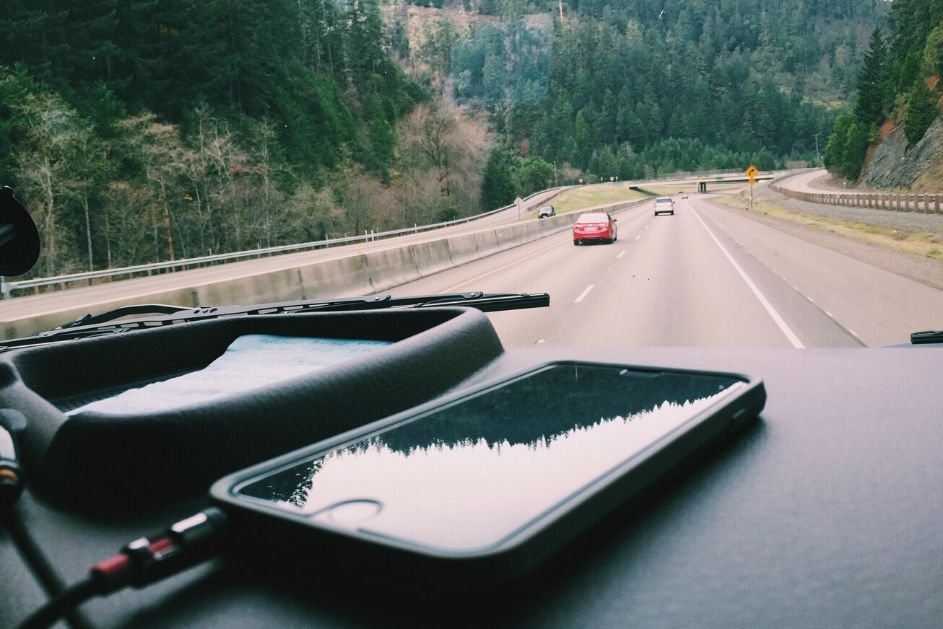
Heat does harm
It's important to avoid extreme temperatures, both where you use your iPhone and where you simply leave it lying. The ideal range is 16 to 22 °C. Temperatures above 35 °C can significantly reduce the battery's capacity.
Colder temperatures can affect the battery too, but only temporarily. Cold isn't as harmful to the battery and the phone as a whole as high temperatures are. Even so, we strongly recommend not exposing your phone to frost. In freezing weather, it's enough to keep the phone in a breast pocket or close to your body under your jacket, which will keep it at a steady, suitable temperature.
Charging
Likewise, avoid charging the battery in high temperatures. Never charge your phone in direct sunlight, and never leave it exposed to the sun's rays for long in hot summer weather. Charging your phone on the car dashboard, for example – a popular habit – can significantly shorten your battery's lifespan.
Myth: It's no longer true that you need to run the battery down completely to extend its lifespan. Newer types of battery work on a different principle, and following this myth can actually harm them.
iPhone battery care has an article of its own, because the battery probably has the greatest influence of all on how long your phone lasts.
2/ Clean your iPhone regularly - for your safety and its proper function
Proper hygiene is very important for a phone. It's no surprise that the mobile phone is one of the most contaminated objects we come into contact with. And be warned: it can carry more bacteria than a toilet seat! A toilet seat, after all, is washed regularly and has no crevices where bacteria can cling on. And hand on heart, how many times have you so much as wiped your iPhone with a clean cloth?
Display
The iPhone display has an oil-repellent (oleophobic) coating designed to minimise the fingerprints that stick to it. This coating wears off with everyday use, which is perfectly normal. If you want to keep it working for as long as possible, though, you should keep the display away from various substances and clean it properly.
You should therefore always clean the display with a soft cloth, one that doesn't shed fibres – for example, the kind used for cleaning camera lenses, spectacle lenses and so on. It can be dampened with water – but take care not to let liquid get into the connectors. Whatever you do, do not clean your iPhone with soaps or detergents, and also avoid contact with swimming-pool water (because of the aggressive chlorine), perfumes, insect repellents, skin lotions, sunscreens, hair dyes and so on. Acidic foods such as lemons are bad for it too.
Connectors, ports and buttons
If you need to charge your iPhone and can't get the connector – or your headphones, say – to go in, first check whether there's any dirt inside. If there is, never poke any objects into the connector to get rid of it. Try tapping the dirt out into the palm of your hand.
Don't blow into the connector. Doing so could not only wedge the foreign object in more firmly but also push it deeper into the device. What's more, your breath is moist, so you could get moisture into the device and damage its internal components as well.
Here at appleguru.cz we often see cases where the phone's microphone and earpiece get clogged with dirt. The owner then comes to us because they can't hear the person they're calling properly or, the other way round, the other person can't hear them.
Professional cleaning
Trouble spots such as the microphone and earpiece tend to be hard to clean yourself at home, though. The microphone and connectors in particular clog up easily and need professional cleaning.
And if you're often ill, your phone could be the source of the illness too. We therefore recommend taking it to a repair shop and having it thoroughly cleaned once in a while. As well as bacteria, this removes dust and dirt, which extends the life of the whole phone.
An expensive mobile phone deserves regular professional care, much like a car after the winter, for example.
Our tip: We also recommend professional cleaning after a seaside holiday, where humidity and dust levels are high. This leads to unwanted oxidation inside the phone.
How much does professional cleaning cost? Here at appleguru.cz we'll professionally clean your iPhone for as little as 490 Kč!
✆ 607 855 558
✉ info@appleguru.cz
Seifertova 683/83, Prague 3 - Žižkov
3/ Display protection - tempered glass saves you money
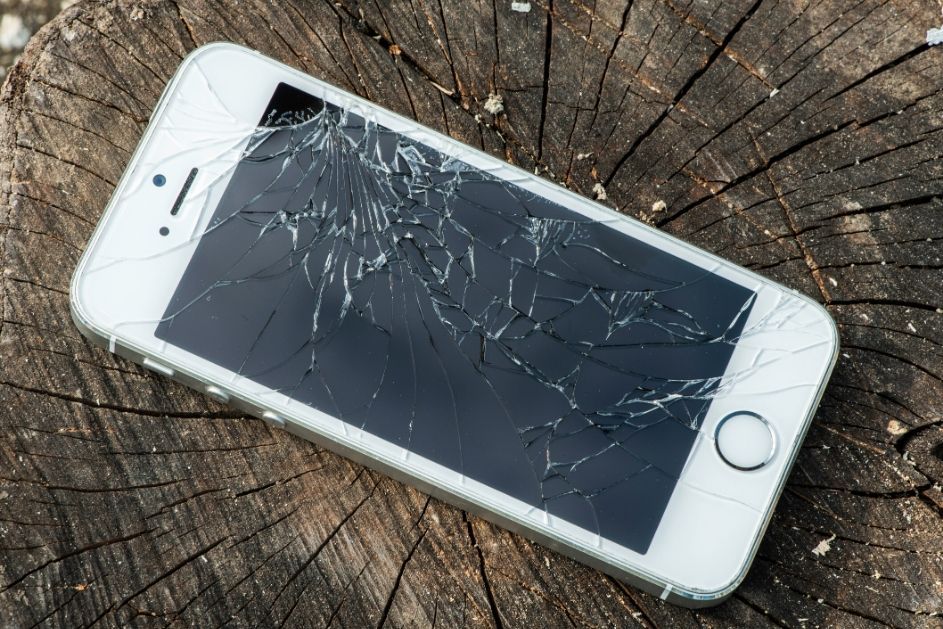
There's probably nobody who hasn't dropped their phone now and then. Some people drop theirs more often, others less. Every time, there's a high risk of the phone being damaged. You can eliminate that risk by getting a good-quality tempered glass protector, which protects the display itself. Once the glass is damaged and covered in all sorts of scratches, you can easily swap it for a new one. The benefits are the money you save and a beautiful, scratch-free display. Replacing the whole display is, after all, considerably more expensive than buying a new glass protector. Another option is to get a cover or a full case for your iPhone, which will protect the whole phone or at least its back. At the same time, it gives your phone a personalised look that matches your personality and style.
4/ Regular software updates
Don't forget to update your software. Each newly developed version brings new technologies that can make your phone noticeably faster and also go easier on the device's battery, which will have a positive effect on battery life. Always update to the latest version of iOS.