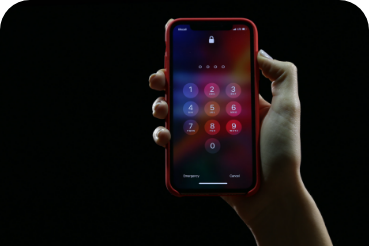
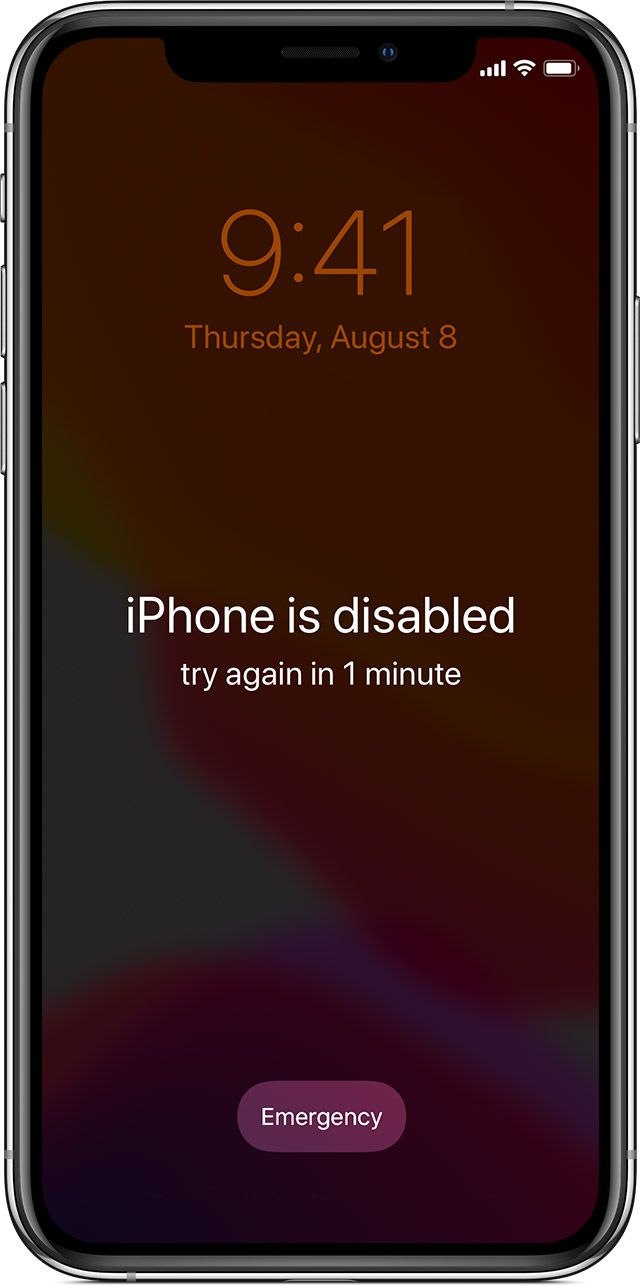
All it takes is entering the wrong passcode on an iPhone 6 times in a row and the phone locks itself. Think it can't happen to you? Your child will manage it with ease. If you enter the passcode incorrectly several times, you may see a screen similar to the one shown on the right in the picture. After a certain time has passed you can try again, but if you still can't recall your iPhone passcode, you have to erase the device (and the current passcode with it).
The bad news: if you haven't backed up your data, you will unfortunately lose all of it. That is why it is important to back up the data on your iPhone. If you have family photos or important contacts stored on your iPhone, losing them will hurt more than losing the device.
The good news: the phone can be unlocked.
You will need a computer to unlock it.
Unlocking an iPhone step by step
- Connect the phone to a computer using a Lightning (sync) cable. It can be the one that came in the box with your product, for instance. With newer MacBooks that have USB-C ports, however, you may also need a suitable adapter – that depends on which model of iPhone or iPad and which computer you are using.
- Once the iPhone is connected, force restart it and put it into recovery mode. The procedure differs between individual Apple product models. If you're not sure how to do it, read our guide on how to reset an iPhone.
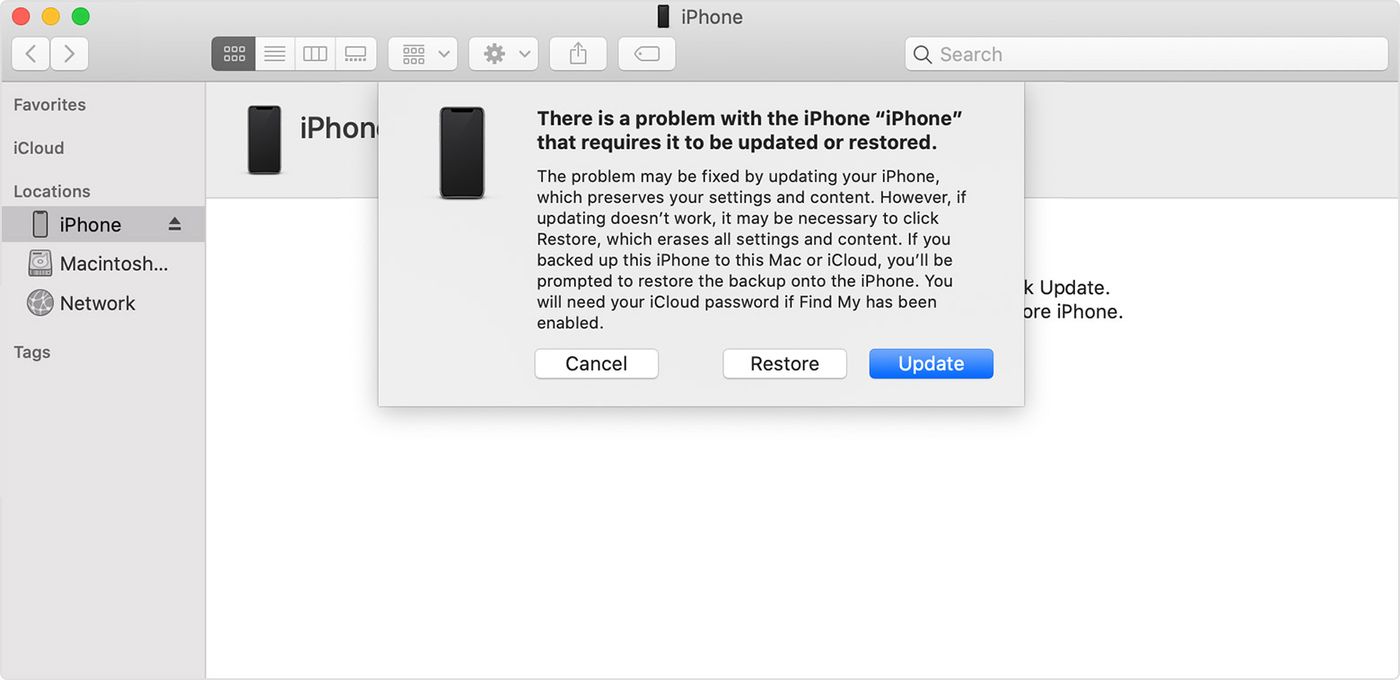
- Locate your device on the computer (in iTunes or in Finder). When you are given the choice of whether to restore the device (Restore) or update it (Update), choose Restore. Finder (in macOS Catalina) or iTunes (in macOS Mojave and earlier) will download the software for your device. It shouldn't take longer than 15 minutes. Wait, of course, until the whole process has finished. After that you can set up your device, load a backup onto it and start using it just as you did before you forgot the passcode.
This is what Finder shows after you connect an iPhone to a computer running macOS Catalina:
Changing your passcode
You will, of course, have to create a new passcode to replace the forgotten one. So choose it wisely, so that you can remember it but at the same time it isn't too easy for someone who might want to get into your device without your permission.
Combinations to avoid:
The most common and most easily guessed numeric codes include, for example, 123456, 111111, 123123, 666666, 000000, 159753, etc. So be sure to steer clear of these.
Changing the passcode in Settings:
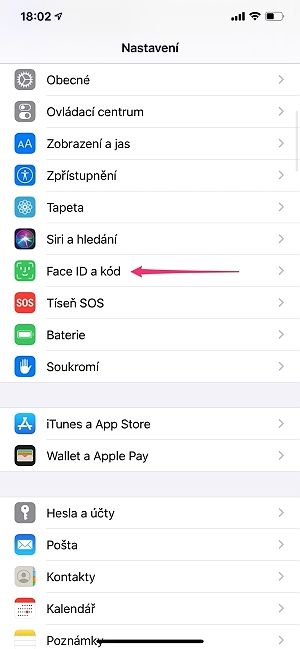
- go to Settings -> Face ID (or Touch ID) & Passcode
- enter your current passcode
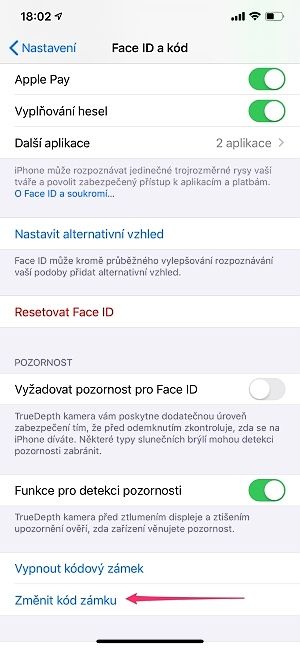
- from the list of options, choose Change Passcode
What to do if unlocking doesn't work?
Have you tried the procedure above and still can't update or restore the device using recovery mode?
There can be a number of causes, from a software error to broken or stuck buttons, which a specialist can easily identify within a few minutes.
Can't unlock your iPhone? Come and see us! We specialise in Apple products.
✆ 607 855 558
✉ info@appleguru.cz
Seifertova 683/83, Prague 3 – Žižkov
you can also conveniently send us your device by courier
Found someone else's iPhone? Why you shouldn't try to unlock it
Have you found someone else's iPhone and want to unlock it? For instance, so that you can use the contacts to find someone close to the owner and return the device? We recommend that you don't. iPhones are expensive devices and most owners use the protection provided by "Find My iPhone". How does Find My iPhone work? The owner locks the phone, or erases all the data remotely, and above all finds the exact location of the device, which they can report to the Czech police.
The best thing to do if you find someone else's phone is to hand it in at the nearest Czech police station.