Vibration on a phone is very practical. Don't want to disturb others in a library, at the doctor's or in a government office, for example, but don't want to miss an important call either? Just turn off the ringer and switch the phone to vibrate mode. If you use vibrate mode at work, it's all the more annoying when vibration stops working out of the blue.
What can you do about it? Most problems have a simple cause that you can fix just by checking your settings:
1. Check your sound settings
Could vibration be turned off? It's easy to find out:
Settings → Sounds → Vibrate
Make sure vibration is turned on in normal mode and in silent mode as well.
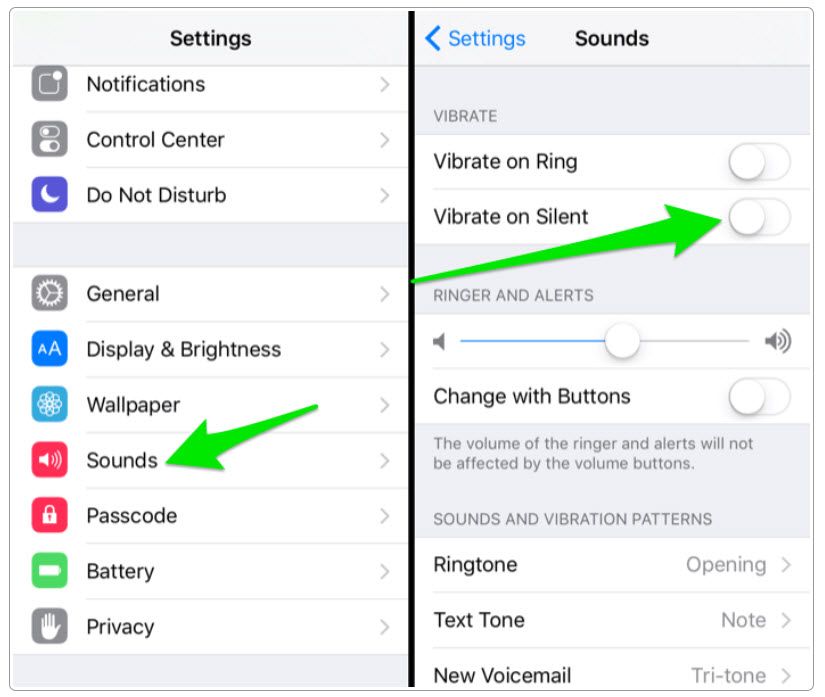
In these settings you can also turn off vibration when the phone rings (for some people just hearing the sound is enough; at other times it's handy to have vibration on along with the sound, for example if your phone is in your pocket or handbag in a noisy environment).
The iPhone offers two ways to silence notifications:
a/ silent mode - only mutes sounds; you can still have vibration enabled. You turn silent mode on with the switch on the side of the phone
b/ "Do Not Disturb" mode - not only mutes sounds, but the phone doesn't even light up for an incoming call or message. You turn Do Not Disturb on in the top menu (swipe to open it), under the crescent moon icon.
If "Do Not Disturb" mode is turned on, vibration won't work.
2. Check that vibration is enabled
Vibration can be turned off completely on an iPhone:
Settings → General → Accessibility → Vibration
3. Restart your phone
The procedure differs from model to model, so read our guide to resetting an iPhone. Frequent "hard resets" aren't good for the device, so use one only once you've exhausted the other ways of solving the problem
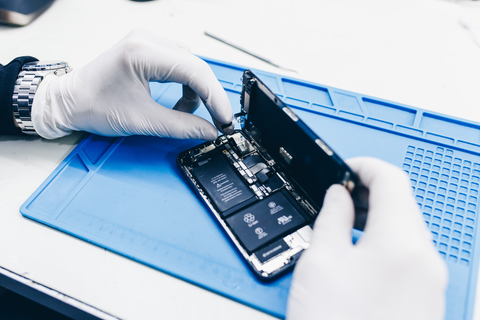
None of the tips above helped? Then it may be a fault with the vibration motor, and in that case only a repair will help.
At appleguru.cz we'll be happy to help you.